
Gitunia
A keyboard-first terminal Git client: a real commit graph, first-class branches and worktrees, vim-style modal navigation. The mouse is optional but fully functional.
Features
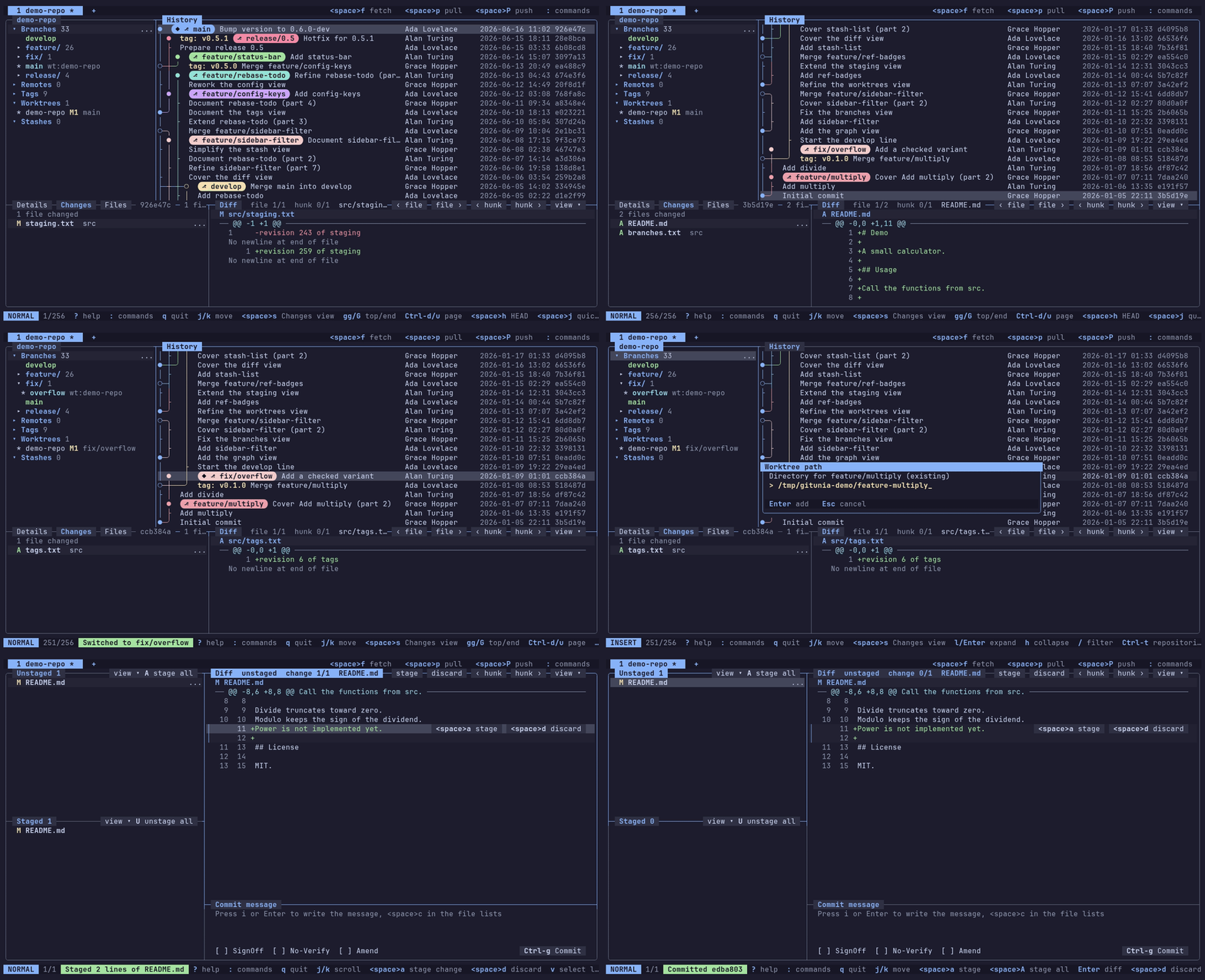
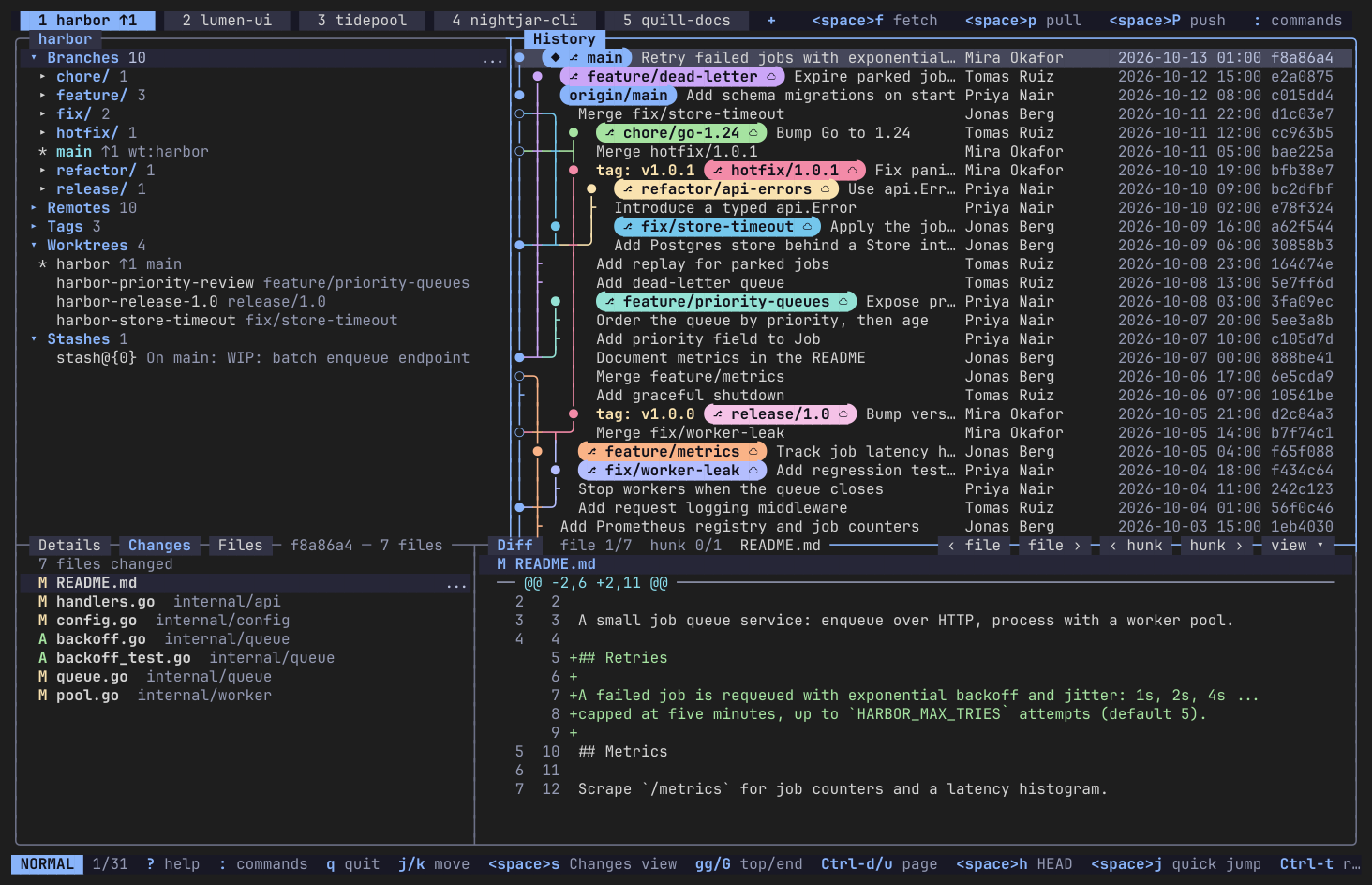
Commit graph
A real commit graph that scrolls and searches through 100k+ commits, with branches and tags drawn on the history.
Tabs and repository picker
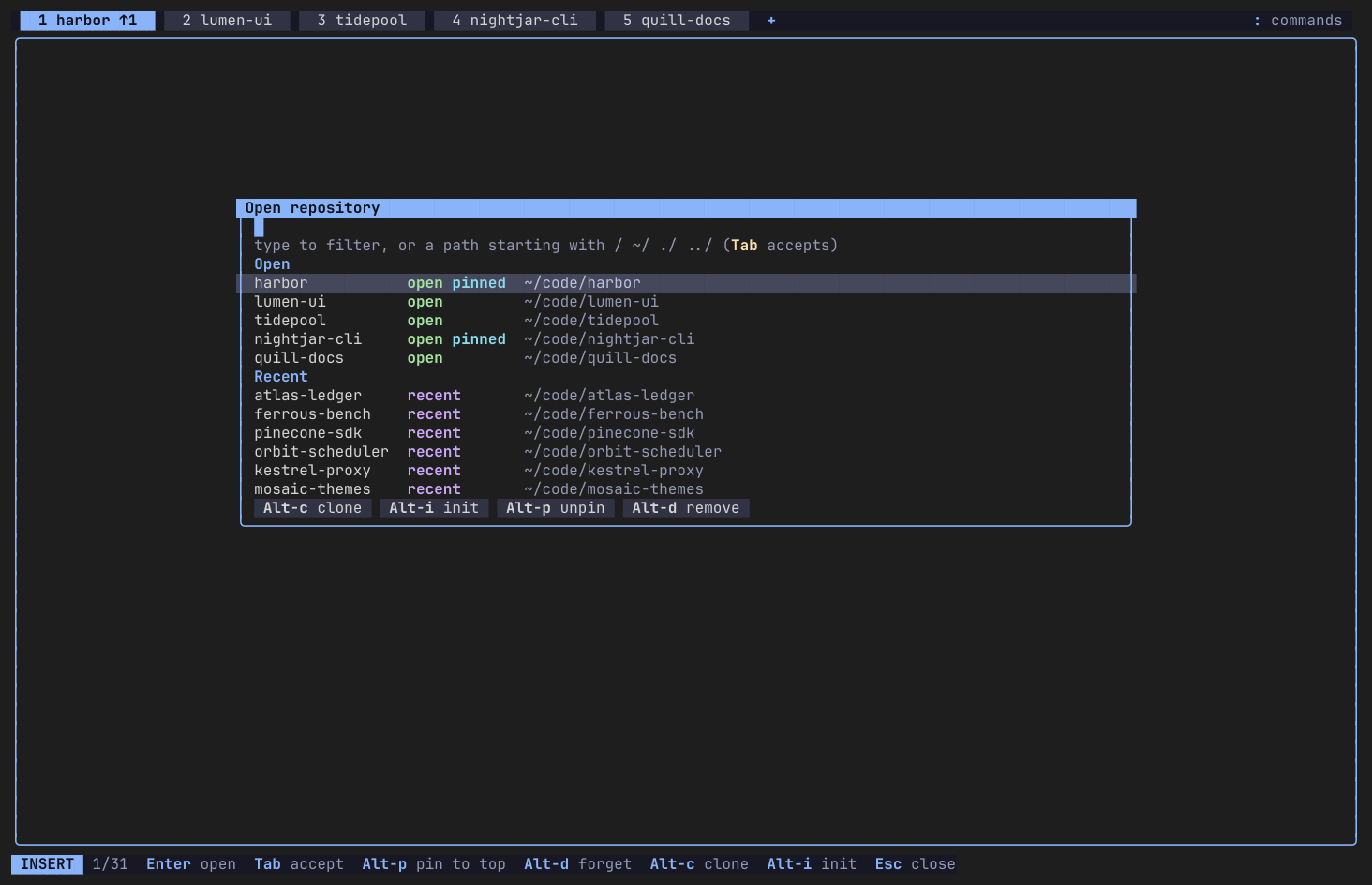
A standalone multi-repository client: open repositories in tabs, pick them with the repository picker and get your session back on the next start.
Help screen
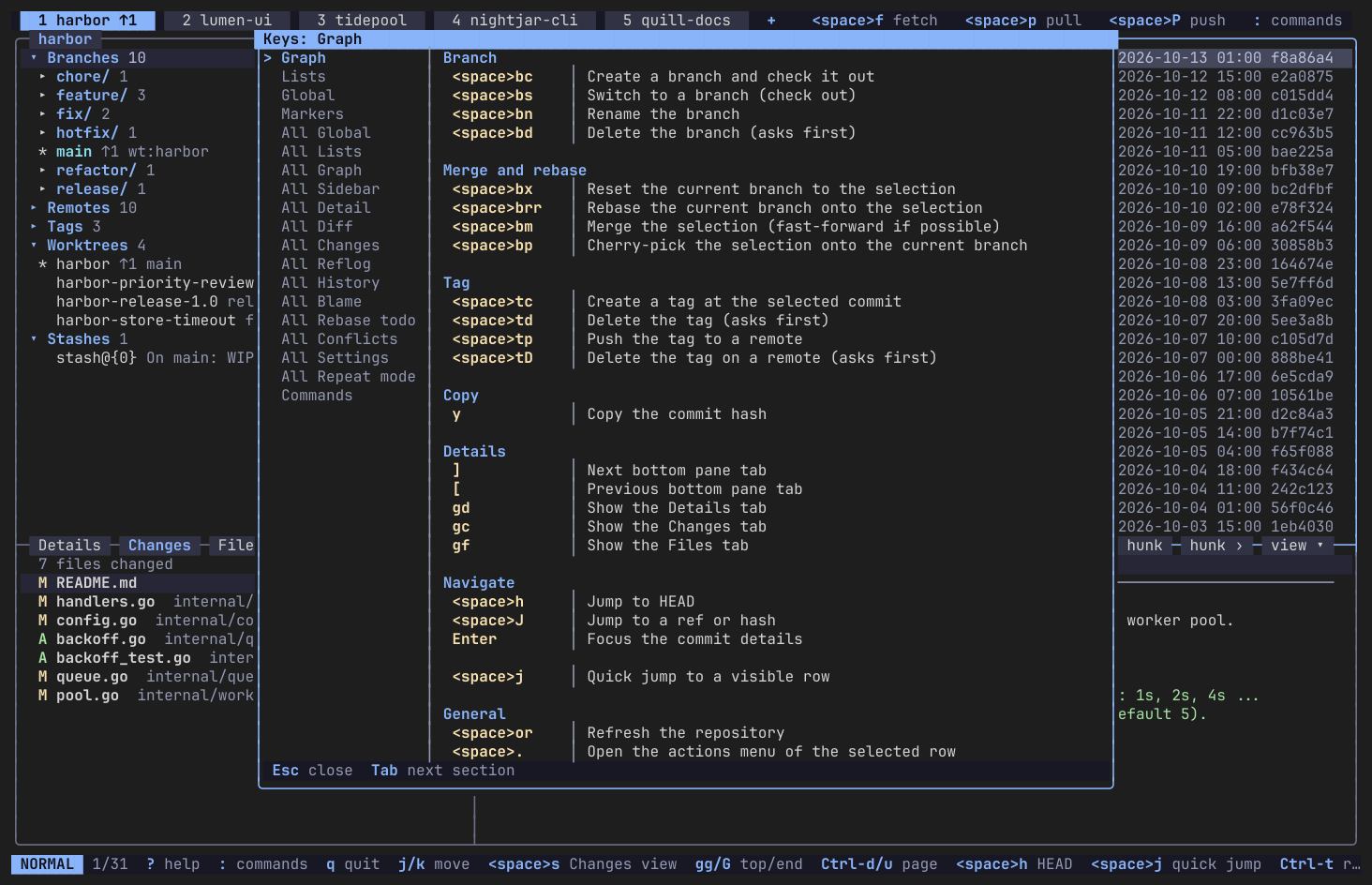
Press ? to see the keys of the current view, with a filter to find a key fast.
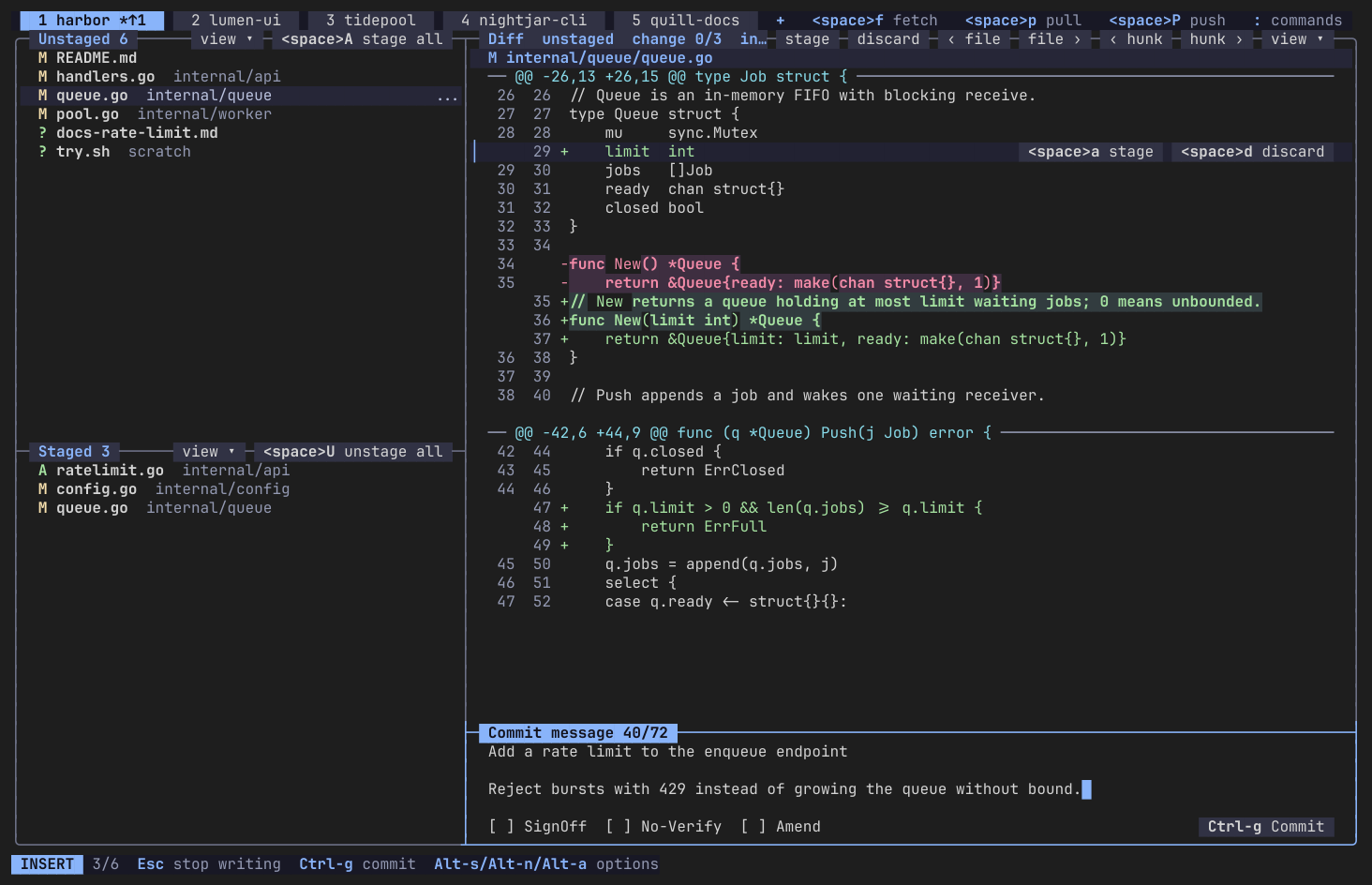
Staging and commits
Stage files, hunks and single lines, then commit or amend, with the message box in the same view.
Diffs
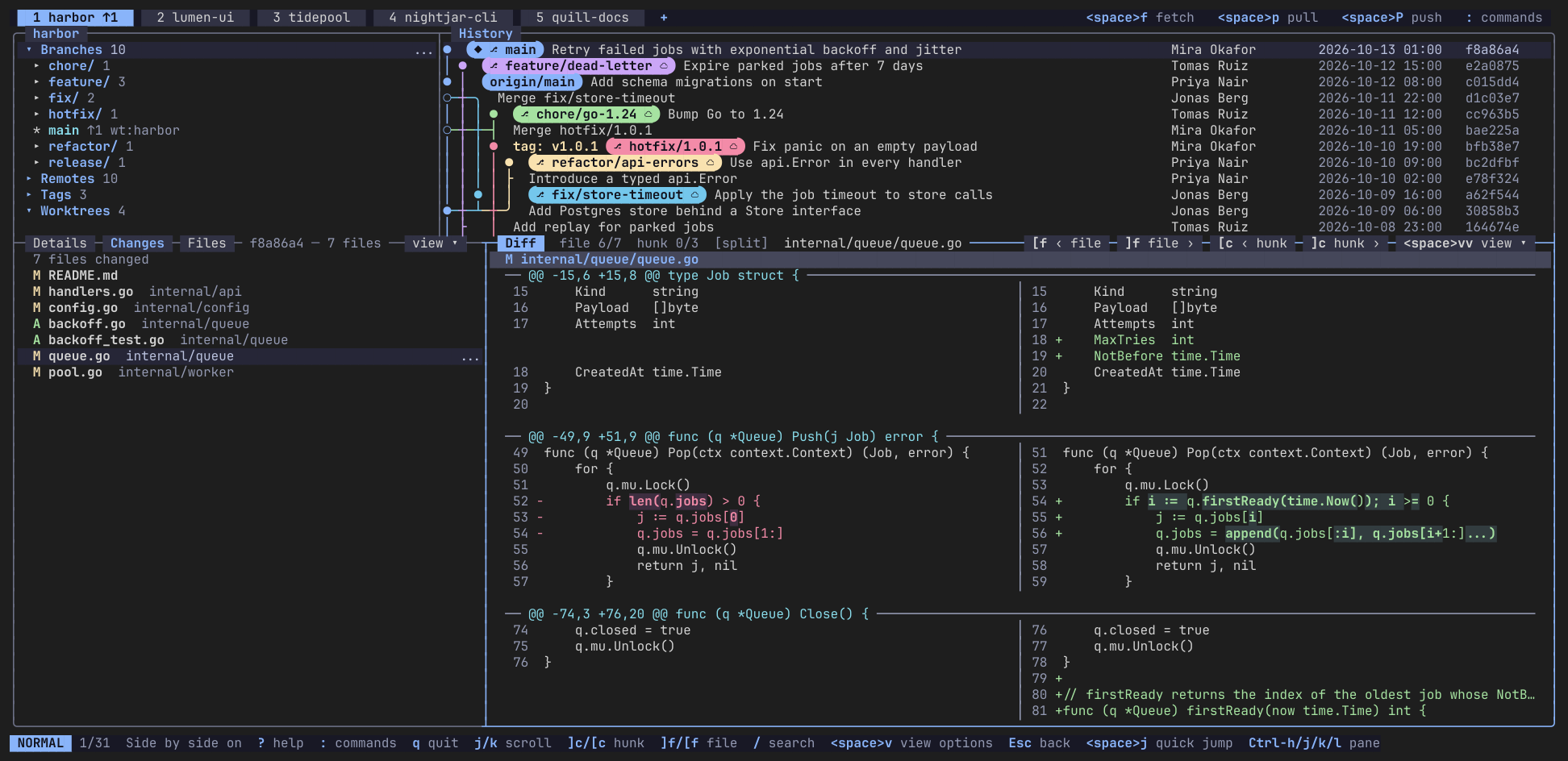
Unified and side-by-side diffs, also between any two commits.
Worktrees
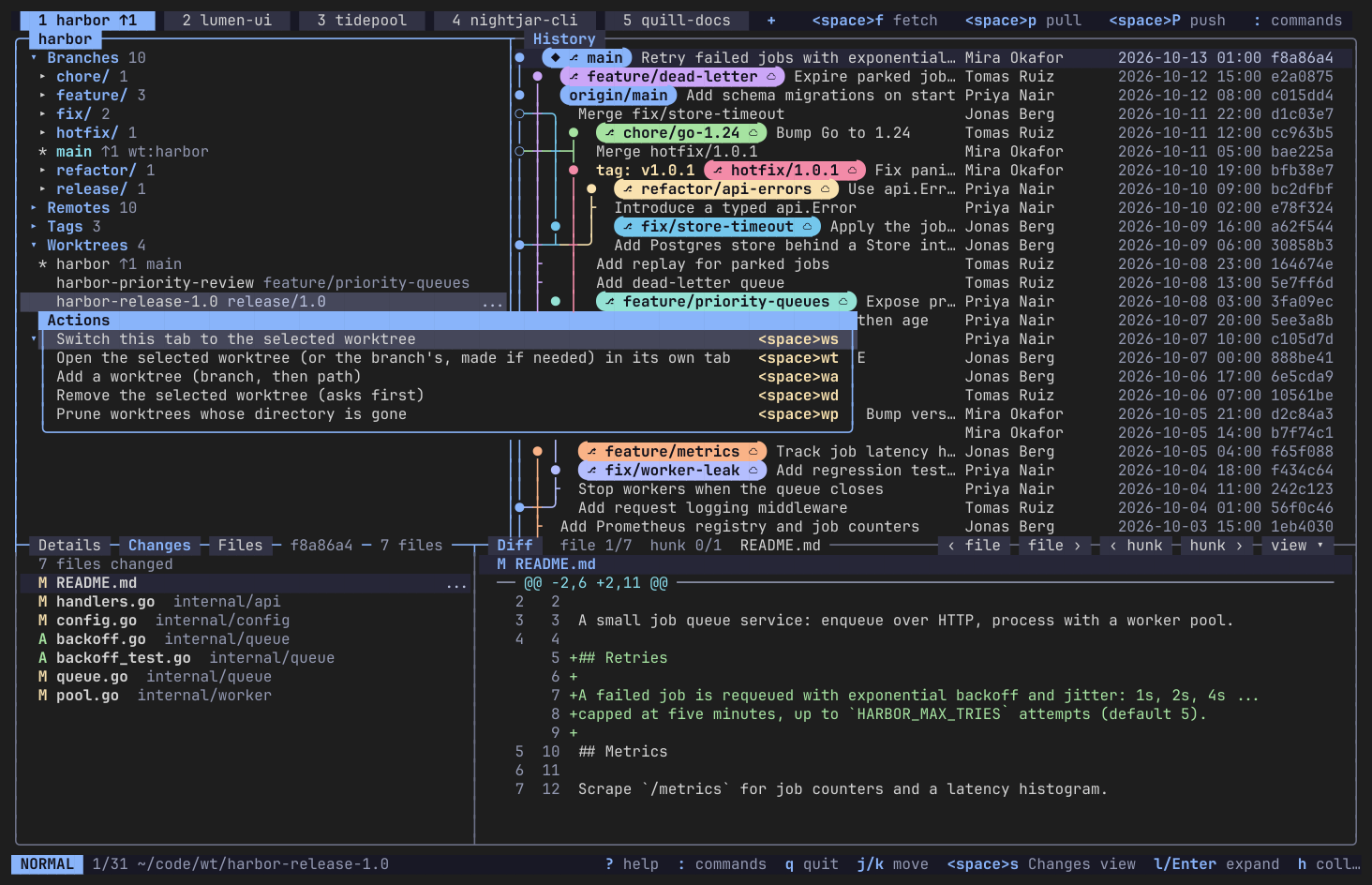
Worktrees are a first-class view next to branches: see which branch each one has checked out, switch to one or open it in its own tab.
Stashes
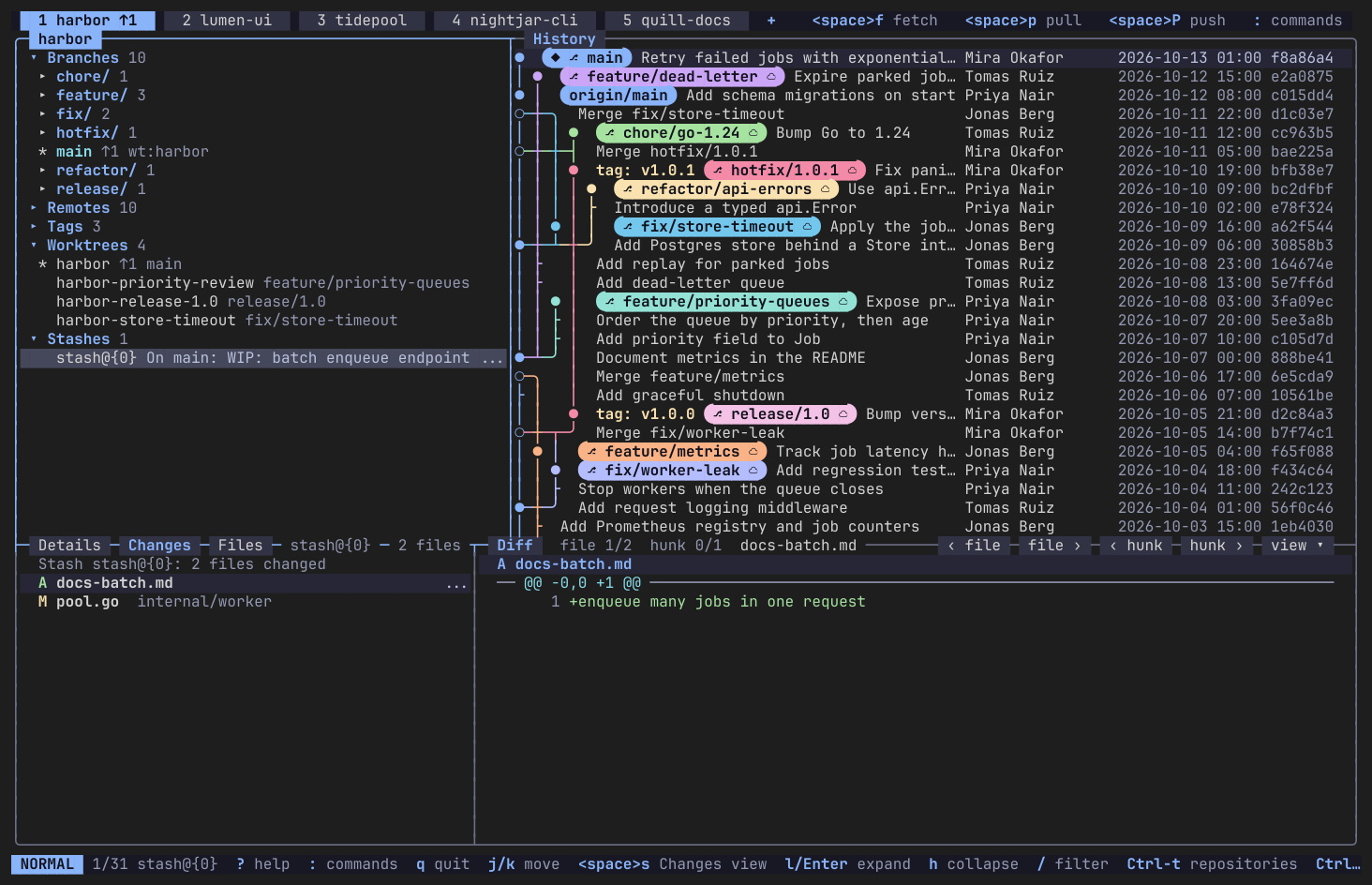
Stashes are a first-class view in the sidebar.
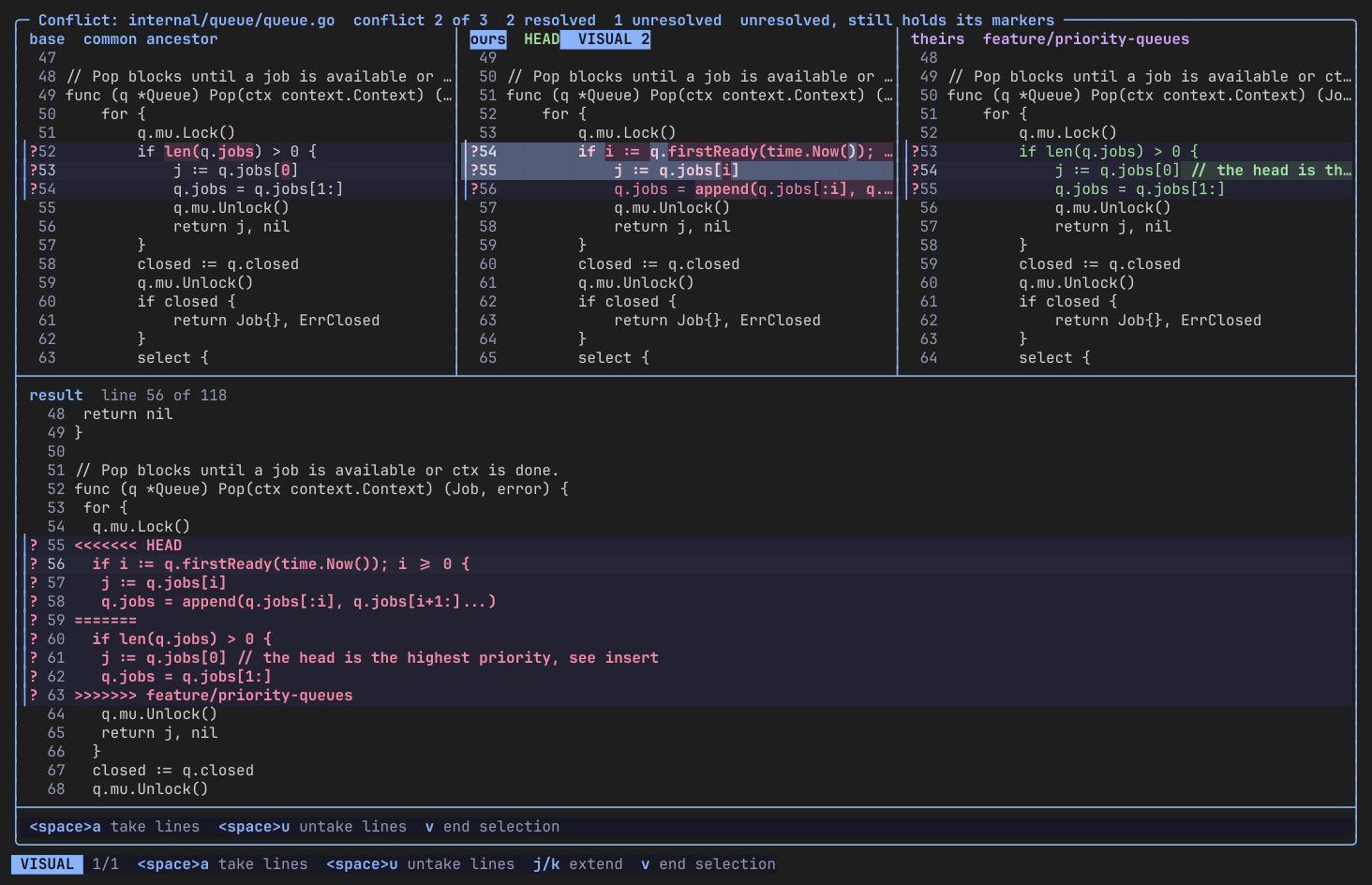
3-way conflict editor
Resolve merge conflicts in a 3-way editor: base, ours and theirs above, the result below.
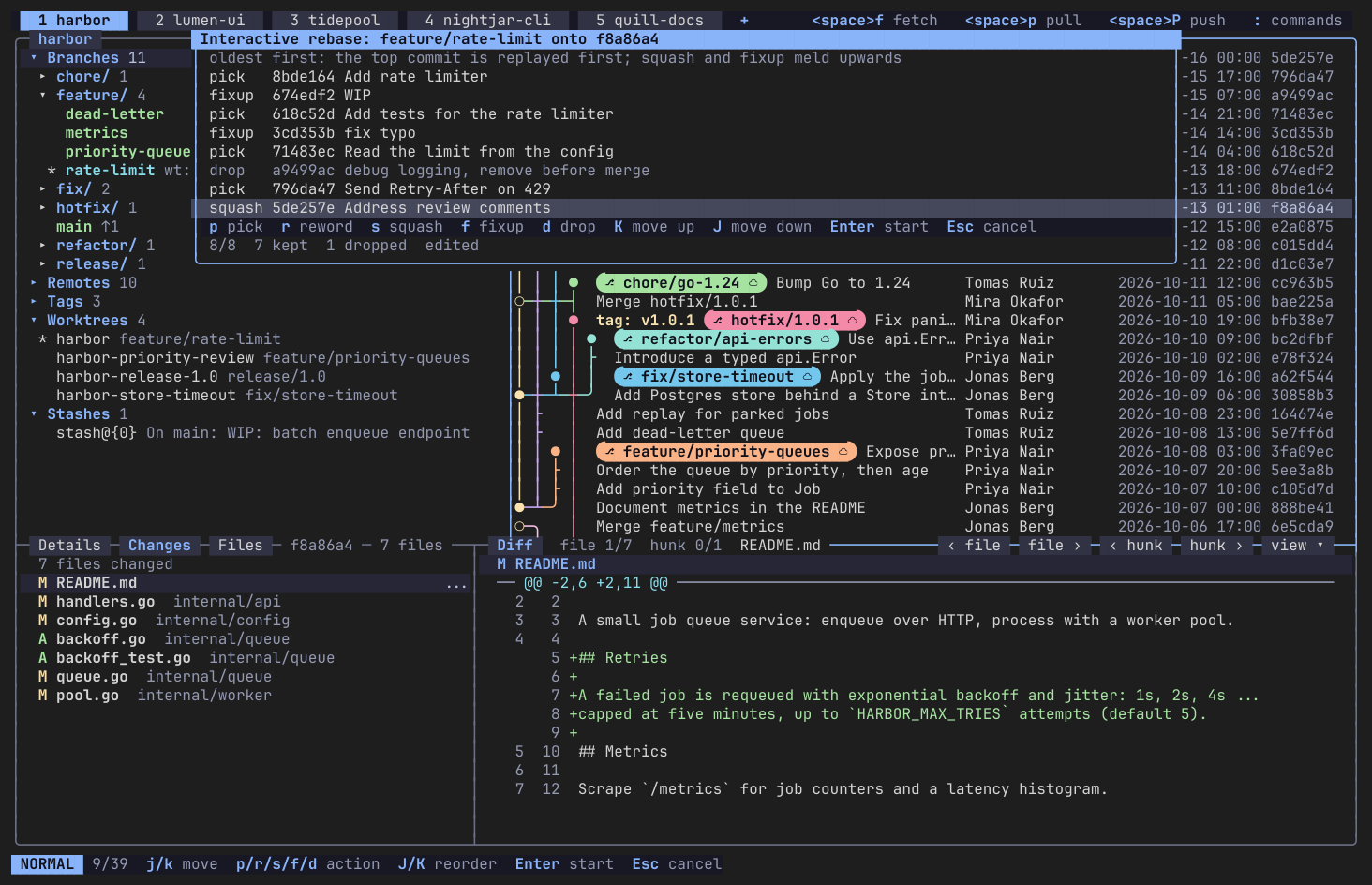
Interactive rebase
Edit the commits of an interactive rebase in a dedicated editor: squash, reword or drop.
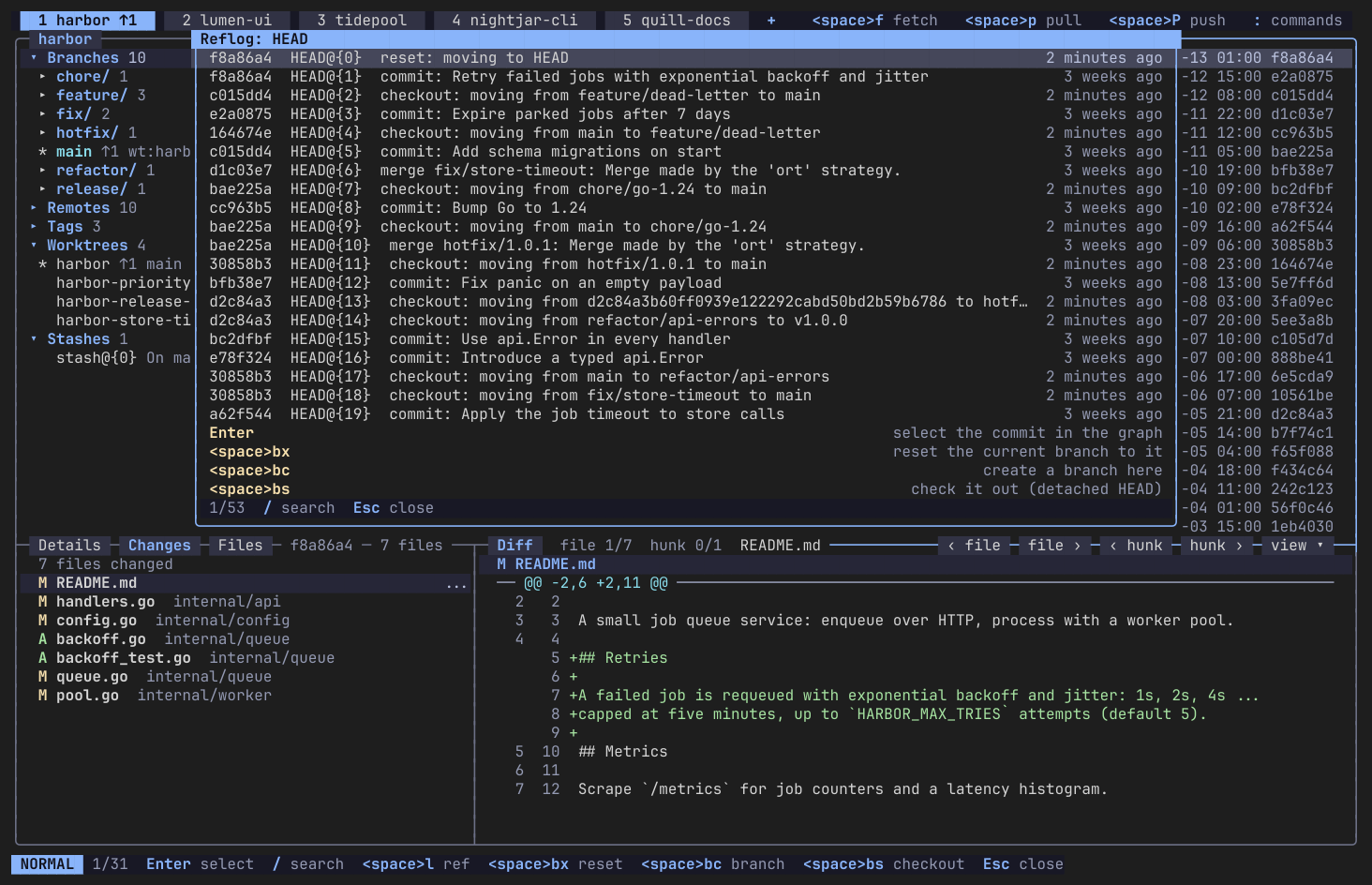
Reflog and undo
The reflog browser is the undo path for destructive actions: pick an earlier state and reset or branch from it.
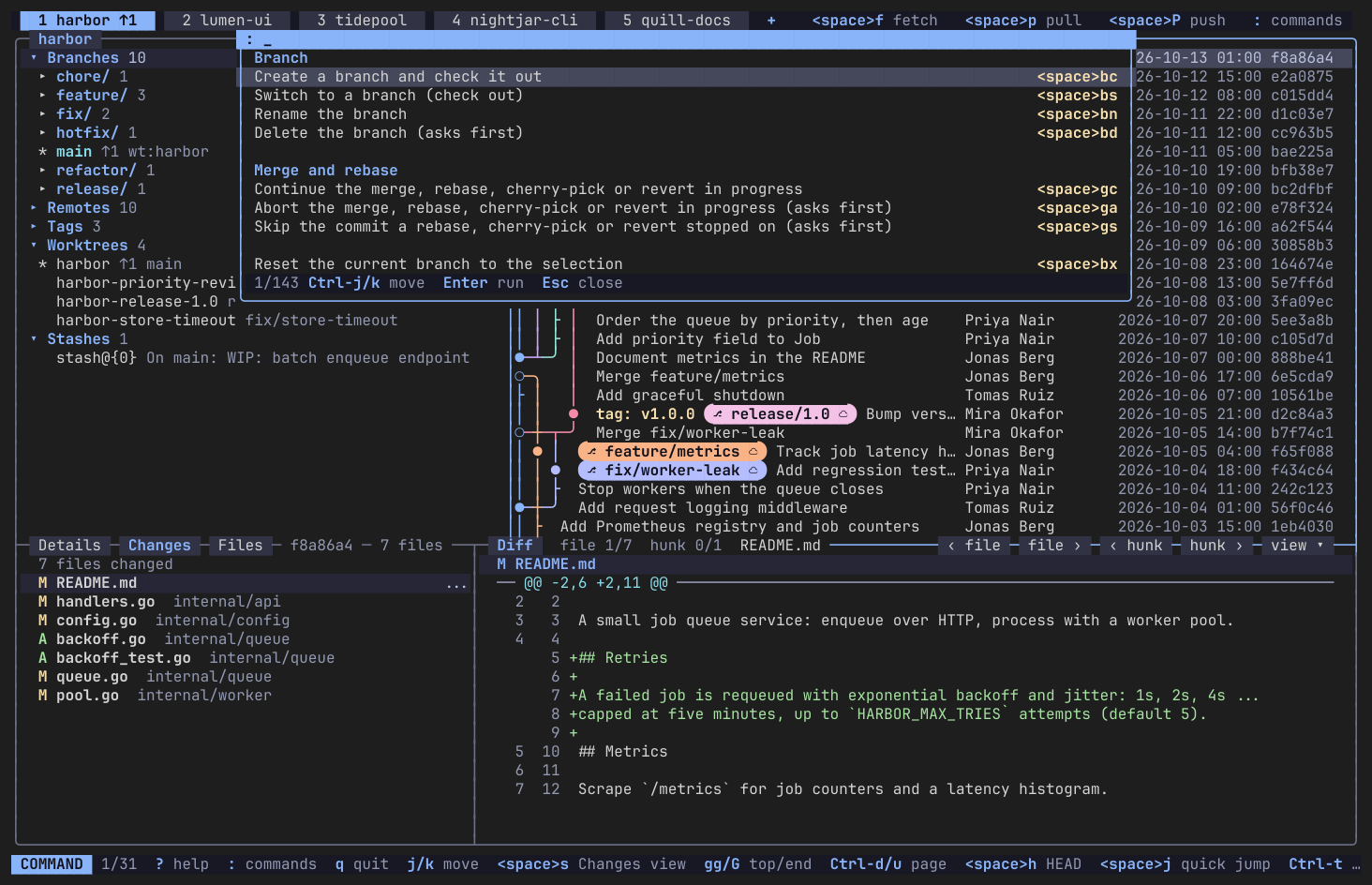
Command palette
Press : to search every command by name, with its key shown next to it. Keys are configurable and mouse support is full.
Install
Needs Git 2.43 or newer on your PATH. One line installs the latest release; run it again to update.
Linux (x64, arm64)
curl -fsSL https://raw.githubusercontent.com/Aleksanderis/Gitunia/main/scripts/install.sh | shUses the native package on Arch / Omarchy, Debian / Ubuntu and Fedora (needs root or sudo), otherwise puts gitunia in ~/.local/bin.
Windows (x64, arm64)
irm https://raw.githubusercontent.com/Aleksanderis/Gitunia/main/scripts/install.ps1 | iexInstalls to %LOCALAPPDATA%\Gitunia and adds it to your user PATH, no admin rights.
macOS and Linux (Homebrew)
brew install aleksanderis/tap/gituniamacOS (Apple silicon) and Linux (x64, arm64).
Manual install
Take the files for your system from the latest release.
Debian / Ubuntu
sudo apt install ./gitunia_<version>_amd64.deb # _arm64.deb on arm64Fedora / RHEL
sudo dnf install ./gitunia-<version>-1.x86_64.rpm # .aarch64.rpm on arm64Arch / Omarchy
sudo pacman -U gitunia-<version>-1-x86_64.pkg.tar.zst # aarch64 on arm64Windows
Expand-Archive gitunia-<version>-win-x64.zip   # win-arm64 on arm64
# put gitunia.exe on your PATH
macOS (Apple silicon)
tar xzf gitunia-<version>-osx-arm64.tar.gz
# put gitunia on your PATH
Other Linux
tar xzf gitunia-<version>-linux-x64.tar.gz   # linux-arm64 on arm64
# put gitunia on your PATH
Check any download against its .sha256 file. Building from source and more details are in the user guide.
Quick start
gitunia                 # restore last session, or open the picker
gitunia ~/Projects/foo  # open a repository (any subfolder works)
In the picker type to filter or type a path. Enter opens it in a tab. ? shows the keys of the current view, : opens the command palette, q quits.
Docs
If Gitunia saves you time, consider supporting its development.
Buy me a coffee